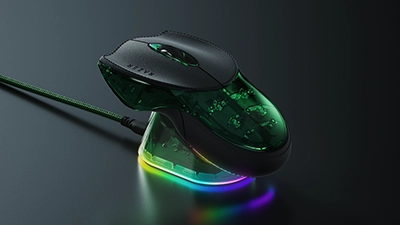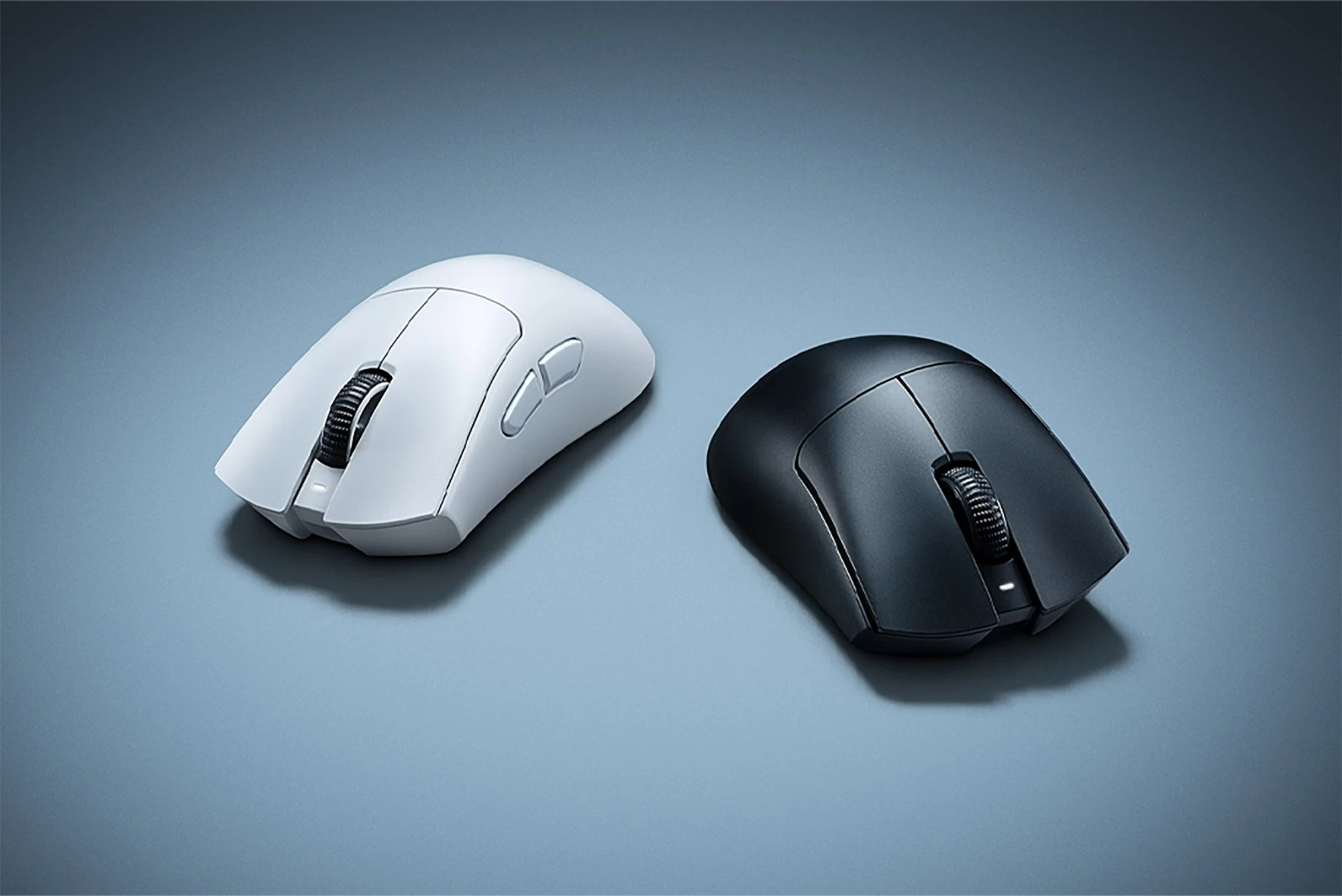
Razer has officially unveiled the DeathAdder V4 Pro, the latest version of its flagship ergonomic esports mouse — and it’s a big upgrade on paper over the already‑popular DeathAdder V3 Pro.
The headline changes: an ultra‑light 56 g chassis, a new Focus Pro 45K Optical Sensor Gen‑2, HyperSpeed Wireless Gen‑2 with true 8,000 Hz polling in both wired and wireless modes, and an updated optical scroll wheel and Gen‑4 optical switches. Razer is pitching it as the fastest, most responsive DeathAdder yet — and after months of leaks and pro sightings, it’s finally something you can actually buy, either directly from Razer or retailers like Amazon (we’ve added quick buy buttons in the price section below).
Price, colors, and availability
Razer is launched the DeathAdder V4 Pro in at least two colors — black and white — with a US MSRP around $169.99. That puts it firmly in the same flagship tier as other 8K‑capable mice and Razer’s own Viper and Basilisk lines.
Key availability points:
- Launch window: Shipping is rolling out globally through 2025, with some regions seeing slightly later availability.
- Box contents: Expect the mouse, HyperSpeed Gen‑2 wireless dongle, USB‑C cable, and a small USB extender/dock in the retail package.
- Compatibility: Works with Razer Synapse for DPI stages, polling rate, surface calibration, button remaps, and power profiles.
For readers who just want to pick one up, here are direct Amazon links to both colors plus the still‑excellent DeathAdder V3 Pro.
If you’re looking specifically for a top end, ultra‑light wireless mouse and want to stay in Razer’s ecosystem, the V4 Pro is clearly positioned as the new default.
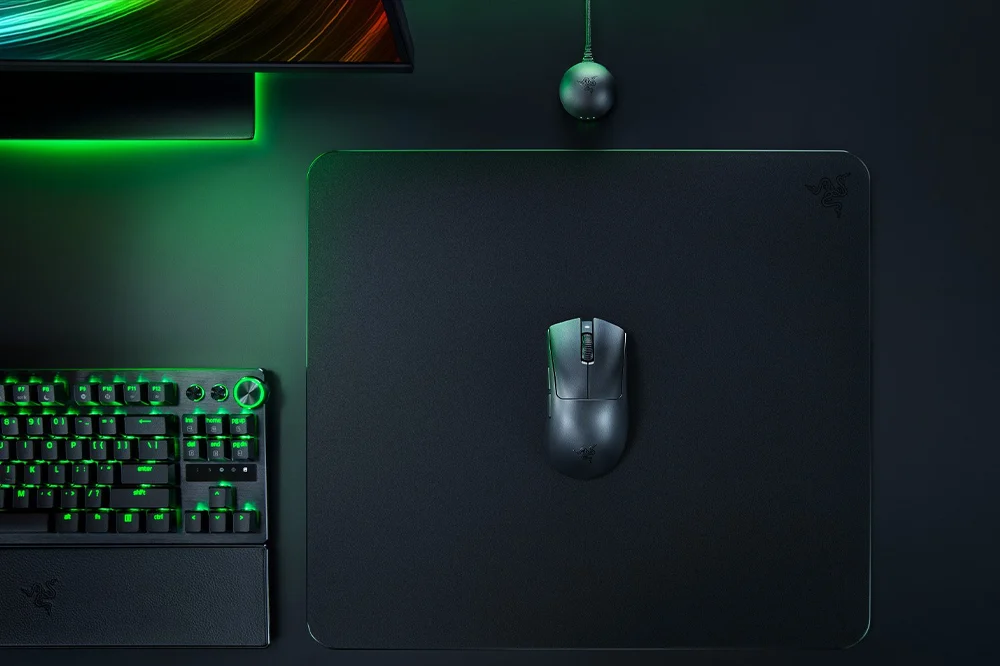
What’s actually new in the DeathAdder V4 Pro
Razer isn’t just bumping DPI numbers here; the V4 Pro pulls together several of the company’s latest technologies in one shell:
Focus Pro 45K Optical Sensor Gen‑2
Up to 45,000 DPI, 900 IPS, and 85 G acceleration, with fine‑grained 1‑DPI steps and improved surface compatibility. The new sensor is designed to reduce micro‑corrections at high sensitivities and keep tracking consistent even on worn cloth pads.HyperSpeed Wireless Gen‑2 with true 8,000 Hz
Razer’s second‑gen HyperSpeed platform doubles wireless bandwidth and lowers average click‑to‑host latency to around 0.29 ms when paired with the new 8K‑capable dongle, while also being more power efficient than the first‑gen implementation.Even lighter, but still ergonomic
At around 56 g in black (a gram or so more in white), the DeathAdder V4 Pro undercuts many symmetrical ultralights while still keeping the familiar right‑handed, palm‑friendly shell. Razer says the internal structure has been re‑engineered to stay rigid despite the lower weight.All‑optical click path
Gen‑4 optical main switches and an optical scroll wheel encoder remove electrical debounce and should reduce double‑click failures over time. Razer rates the primary switches for 100 million clicks.
On paper, that makes the V4 Pro one of the most advanced ergo mice on the market right now — especially if you care about ultra‑low‑latency wireless and high‑end tracking.
Already tournament‑tested: NiKo’s camo DeathAdder
If the DeathAdder V4 Pro sounds familiar, that’s because it’s already made a splash on the esports stage.
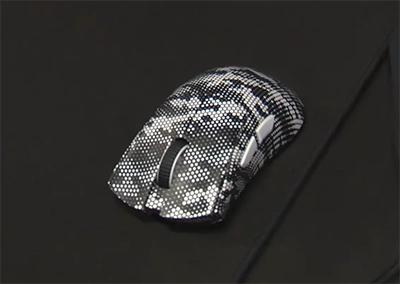
Back in April 2025, Nikola “NiKo” Kovač quietly used a camouflaged, black‑and‑white variant of the mouse at the PGL Bucharest CS2 Major — and won the event while using it. Razer wrapped the shell in a dense “Erlkönig” camo pattern that made it harder to spot on broadcast, similar to the car‑camo Viper‑family prototypes seen at IEM Dallas 2025.
At the time, Razer and NiKo didn’t confirm the model name, but the shape, logo placement, and leaked close‑ups all pointed to a next‑gen DeathAdder.
Razer’s official trailer for the DeathAdder V4 Pro, highlighting the new 45K sensor, HyperSpeed Wireless Gen‑2, and 56 g weight.
Specs vs DeathAdder V3 Pro
Razer is positioning the DeathAdder V4 Pro as a clear step up from the DeathAdder V3 Pro, not just a side‑grade. On spec sheets and marketing materials, the differences include:
- Weight: V3 Pro comes in around 63–64 g depending on region and color; V4 Pro drops that to ~56–57 g while keeping a similar external silhouette.
- Sensor: V3 Pro uses the Focus Pro 30K (or 35K in some refreshed SKUs). V4 Pro moves to Focus Pro 45K Gen‑2, with higher maximum DPI and improved tracking at the extremes.
- Polling rate: V3 Pro can hit 8,000 Hz, but only via the separate HyperPolling Wireless Dongle, and only in wireless mode. V4 Pro supports true 8,000 Hz in both wired and wireless through HyperSpeed Gen‑2.
- Scroll wheel and switches: The newer optical wheel sensor and Gen‑4 optical switches are designed for more precise inputs and longer life, while maintaining the crisp, low‑pre‑travel feel competitive players want.
- Battery: Razer quotes up to 150 hours of battery life in lower‑polling modes, with reduced runtime at 8,000 Hz. Thanks to HyperSpeed Gen‑2’s efficiency improvements, the trade‑off isn’t as brutal as with earlier high‑polling setups.
We’ve already spent time with the previous model in our Razer DeathAdder V3 Pro review, and on paper the V4 Pro is aimed squarely at players who liked that shape and simplicity but wanted even lower latency, more detailed tracking, and less weight — without switching to a symmetrical mouse like the Viper line.
Shape, comfort, and who it’s for
The DeathAdder has always been about a right‑handed, ergonomic shell with a higher rear hump, relatively low front end, and deep left‑side groove for your thumb. That doesn’t fundamentally change with the V4 Pro.
Razer’s promos and product photos suggest a shape that’s extremely close to the V3 Pro, with:
- A slightly more defined rear flare for palm and claw‑palm grips.
- Subtle changes to the side wall contouring to improve control when you lift and reposition the mouse.
- An updated matte texture that should feel a bit grippier, especially in warmer rooms or long sessions.
If you:
- Prefer right‑handed ergonomic mice over low‑profile ambi shells,
- Play a lot of tactical shooters like CS2, Valorant, or Rainbow Six Siege,
- And want a mouse that feels light without giving up palm support,
…the DeathAdder V4 Pro is exactly the kind of upgrade Razer wants you to consider.
For fingertip‑grip players or users with very small hands, the shape may still feel like “too much mouse,” in which case something like the Viper V3 Pro or a smaller ultralight could be a better fit.
HyperSpeed Gen‑2 and 8,000 Hz: does it matter?
The DeathAdder V4 Pro’s headline spec is that true 8,000 Hz polling works in both wireless and wired modes, via Razer HyperSpeed Wireless Gen‑2.
In practice, what this means:
- The mouse can send up to 8,000 updates per second to your PC, cutting input delay down to just 0.125 ms when everything is configured correctly.
- Combined with HyperSpeed Gen‑2’s 0.29 ms average click‑to‑host latency, you’re looking at some of the lowest end‑to‑end input lag you can get on a consumer mouse right now.
- To actually benefit, you’ll want a high‑refresh monitor (240 Hz or above), a stable USB connection for the dongle, and games where micro‑aim adjustments matter — think CS2, Valorant, or fast arena shooters.
For most players, the jump from 1,000 Hz to 2,000 or 4,000 Hz is already subtle. The difference between 4,000 and 8,000 Hz is even harder to feel unless you’re extremely sensitive to latency and play at a high level. But for the esports crowd Razer is targeting — and the pros who already play on DeathAdders — it’s a strong marketing and performance story.
If you’re not sure how much things like polling rate, DPI, and sensor specs actually matter, our DPI and IPS guide and mouse sensor technology primer walk through the fundamentals and what you’ll feel in‑game.
Early impressions and review round‑up
Full, lab‑tested reviews will take time, but early impressions from press and creators who went hands‑on ahead of launch paint a familiar picture:
- Tracking feels extremely consistent, with no obvious acceleration or smoothing even at very high DPI values.
- The reduced weight makes the V4 Pro feel more nimble than the V3 Pro without sacrificing its planted, ergonomic feel.
- The new scroll wheel’s optical encoder makes weapon swapping and utility scroll binds feel more precise, with less chance of skipping a notch.
- Battery life at the full 8,000 Hz setting is unsurprisingly shorter, but still reasonable for practice and match days — and you can always drop to 1,000 Hz for day‑to‑day use.
We’ll have more detailed thoughts once we’ve logged time with a retail unit and fed it through our usual mouse‑testing workflow.
Should you upgrade from the DeathAdder V3 Pro?
Whether it’s worth moving from V3 Pro to V4 Pro comes down to how sensitive you are to:
- Weight: Going from low‑60s to mid‑50s grams is a noticeable change, especially if you play long sessions or use lower sensitivities.
- Polling rate and latency: If you already own the HyperPolling Wireless Dongle and run your V3 Pro at 8,000 Hz, the Gen‑2 wireless improvements will be more about stability and power draw than a night‑and‑day feel change.
- Sensor behavior: The Focus Pro 45K’s extra headroom and tracking refinements may help if you play at very high DPI or notice micro‑stutters on your current mouse.
If you’re happy on a V3 Pro and mostly play casually, you don’t need to rush. But if you:
- Grind ranked in CS2, Valorant, or other competitive shooters,
- Want the lowest possible wireless latency without juggling dongles,
- Or simply prefer to stay on Razer’s latest platform,
…the DeathAdder V4 Pro looks like the cleanest path forward in the DeathAdder family.
And if you’re coming from an older DeathAdder or a heavier ergo from another brand, the jump to a 56 g, 45K, 8K‑capable mouse is going to feel dramatic.
Where it fits in Razer’s lineup
With the DeathAdder V4 Pro now official, Razer’s mouse family lines up roughly like this:
- DeathAdder V4 Pro – flagship right‑handed ergonomic mouse, 56 g, 45K sensor, HyperSpeed Gen‑2, true 8,000 Hz wireless and wired.
- Viper V3 Pro – flagship low‑profile symmetrical esports mouse, also 8K‑capable, better suited for claw or fingertip grips.
- Cobra / Basilisk lines – more feature‑rich and RGB‑heavy options with extra buttons, adjustable scroll wheels, or multi‑genre focus.
For players who’ve always liked the DeathAdder shape but felt it lagged behind the cutting‑edge ambi mice on latency and polling, the V4 Pro finally closes that gap.
As always, we recommend checking your grip, hand size, and desk space before committing — and comparing the V4 Pro against nearby options in our mouse hub and our best high‑end gaming mice guide so you can see how it stacks up on specs, shape, and price.
 Terms | Privacy | Feedback