Price and availability checked on 12-10-2025. Stock and pricing can vary by region and retailer.
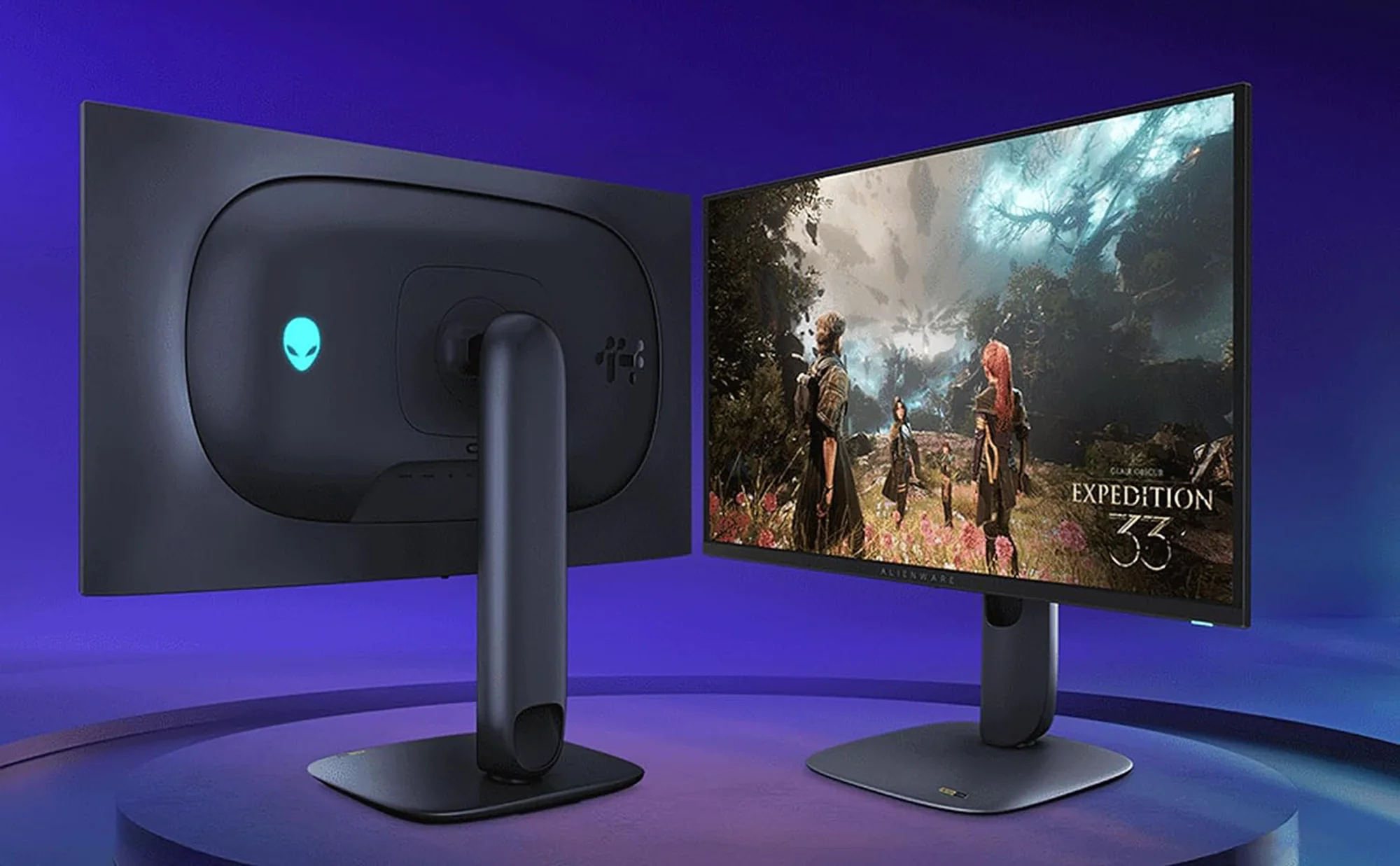
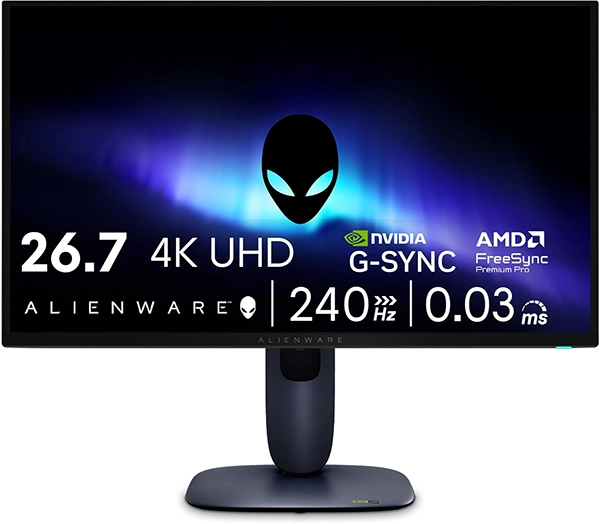
Dell’s Alienware AW2725Q is now shipping in the US, and it’s one of the most “all-in” monitor spec stacks you can buy for late 2025: a 27-inch class (26.7-inch viewable) 4K QD-OLED panel that runs at up to 240Hz, backed by Dolby Vision and VESA DisplayHDR True Black 400.
The real headline is density. At 166 pixels per inch, the AW2725Q aims to deliver OLED contrast and near-instant pixel response without the softer look you can get from larger 4K OLED panels at typical desk distance. Alienware has also positioned this as the highest PPI OLED/QD-OLED monitor based on its internal analysis.
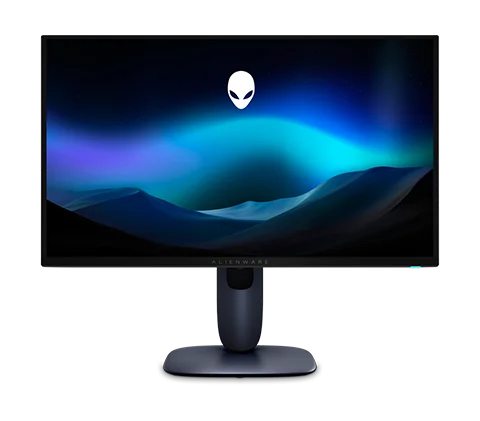

- 27-inch class (26.7-inch viewable) 3840×2160 QD-OLED at up to 240Hz
- 166 PPI for sharper HUDs, maps, and desktop text at normal viewing distance
- Dolby Vision + VESA DisplayHDR True Black 400 for high-contrast HDR
- VRR support listed: G-SYNC Compatible, FreeSync Premium Pro, VESA AdaptiveSync
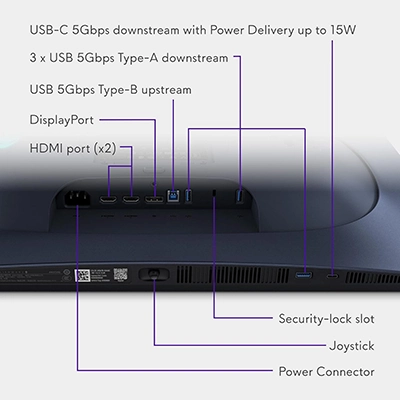
- Ports: DisplayPort 1.4 (DSC) + 2× HDMI 2.1 FRL (one with eARC/ARC)
- 3-year warranty includes OLED burn-in coverage (confirm terms for your region)
A rare 27-inch 4K OLED-class monitor that also targets high-refresh play. It’s the kind of display that rewards a strong GPU and modern upscaling—especially in new AAA titles.
A rare 27-inch 4K OLED-class monitor that also targets high-refresh play. It’s the kind of display that rewards a strong GPU and modern upscaling—especially in new AAA titles.
Quick takeaways
- Price (US): $899.99 on Dell’s store at time of writing.
- 4K + 240Hz + QD-OLED in a 27-inch footprint is still rare—and it’s the “why” behind the hype.
- You get modern connectivity for mixed setups: DisplayPort 1.4 (DSC) + two HDMI 2.1 FRL ports, including one with eARC/ARC.
- If you’re chasing high FPS at 4K, you’ll likely lean on DLSS/FSR/XeSS in demanding games (and that’s normal).
Why the AW2725Q matters for 2025 gaming
For most of the last few years, monitor shopping forced a trade-off:
- 27-inch 1440p + high refresh for competitive clarity and easier frame rates
- 32-inch 4K OLED/QD-OLED for cinematic detail and HDR impact
The AW2725Q tries to bridge that gap by keeping the “esports-friendly” size while pushing 4K detail and 240Hz motion together. In real play, that can translate into:
- Cleaner UI readability (inventory screens, minimaps, dense HUDs)
- More fine texture detail per inch in open-world games
- Smoother camera motion in shooters/racers when your system can feed it
If you’re planning a build specifically around 4K/240Hz, start with the GPU reality check: AAA at 4K is still heavy. Esports titles can reach 240fps; modern single-player games usually want upscaling and smart settings. A good starting point: our high-end GPU coverage.

Price and availability
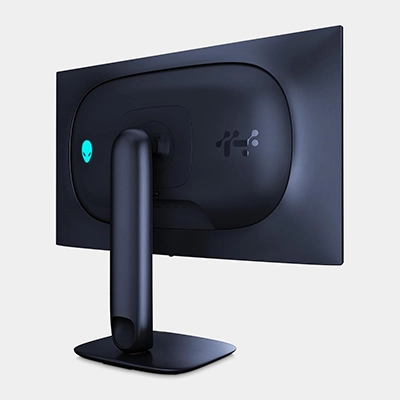
As of today, Dell lists the AW2725Q at $899.99 and shows limited/low stock messaging on the product page.
For a broader view of what’s landing and what’s actually buyable right now, keep an eye on our rolling roundup: OLED monitor market status and key releases.
Verified specs at a glance
| Spec | Alienware AW2725Q |
|---|---|
| Screen size | 27-inch class (26.7-inch viewable) |
| Resolution | 3840 × 2160 (4K UHD) |
| Panel type | QD-OLED |
| Refresh rate | Up to 240Hz |
| Response time | 0.03ms GTG (listed) |
| Pixel density | 166 PPI (listed) |
| HDR | Dolby Vision; VESA DisplayHDR True Black 400 |
| Color (listed) | 99% DCI-P3; Delta E < 2 (Alienware spec claim) |
| VRR (listed) | G-SYNC Compatible; FreeSync Premium Pro; VESA AdaptiveSync |
| PC max refresh path | DisplayPort 1.4 with DSC |
| Console-friendly path | HDMI 2.1 FRL (VRR-capable) |
| Notable audio feature | One HDMI 2.1 FRL port with eARC/ARC (Dolby Atmos pass-through support listed) |
| USB | USB hub + USB-C (up to 15W power delivery listed) |
Ports, bandwidth, and setup tips
The AW2725Q is built for the “real desk” setup: PC + console + headset/speakers + dongles.
What matters most:
- DisplayPort 1.4 + DSC is the standard route to reach 4K at 240Hz on a PC.
- Two HDMI 2.1 FRL ports give you high-bandwidth console/PC options—and one includes eARC/ARC if you want to pass audio through to an Atmos-capable soundbar/receiver.
Three quick setup checks that solve most early pain:
- In Windows, confirm you actually set 240Hz (systems often default to 60Hz after first boot).
- If you enable HDR on Windows, expect a little tuning (HDR calibration + in-game HDR sliders matter more on OLED).
- For consoles, you’ll typically see 4K up to 120Hz, but you still benefit from OLED contrast, fast response, and HDMI 2.1 features where supported.
Also: Dell lists key cables included in the box (DisplayPort, HDMI, and USB upstream), which reduces the “day one cable hunt.”
QD-OLED at 27-inch 4K: what to expect
What you’re paying for with QD-OLED here is straightforward:
- True blacks and high contrast (dark scenes look deep instead of gray)
- Fast pixel response that keeps motion crisp without LCD smearing
- More convincing HDR than “just turning brightness up”
Two expectations to set early:
- You’ll probably use scaling. At 166 PPI, many people settle around 125–150% scaling in Windows for comfortable text.
- 4K/240 is a performance target, not a promise. Plenty of games will run beautifully at 4K, but many won’t sit near 240fps without smart settings and upscaling.
If you want a competitive-leaning OLED that’s easier to drive, a 27-inch 1440p OLED like the ASUS ROG Swift PG27AQDM review is the more “pure esports” style choice. If you want bigger-screen 4K OLED options, start with our reviews of the MSI MPG 321URX QD-OLED and the HP OMEN Transcend 32.
Burn-in: the practical reality (and why warranty matters)
OLED burn-in isn’t a myth—but it’s also not instant doom. Risk depends heavily on usage: static desktop elements for hours every day are higher risk than varied fullscreen gaming.
Alienware highlights multiple protective elements (including panel care routines) and states the display ships with a 3-year warranty that includes burn-in coverage—which is the kind of policy detail that actually matters when you’re spending premium money.
Low-effort habits that help:
- Let the display sleep when idle; use a screen saver.
- Auto-hide the taskbar (especially for desktop-heavy use).
- Don’t ignore panel maintenance prompts.
Bottom line
If you’ve been waiting for a monitor that can look like a premium OLED and move like a high-refresh esports panel, the Alienware AW2725Q is one of the clearest “yes, finally” options in 2025.
The trade-offs are the honest ones: 4K/240 demands serious GPU power, and OLED owners get the best long-term experience when they use basic panel-care habits. If those aren’t deal-breakers for you, this is a legit endgame candidate.
FAQ
Can the AW2725Q do 4K at 240Hz?
Yes—Dell lists 3840×2160 at 240Hz support, with DisplayPort 1.4 (DSC) and HDMI 2.1 FRL paths depending on device and configuration.
Is it good for PS5 and Xbox Series X?
Consoles typically top out at 4K up to 120Hz, but OLED contrast and HDMI 2.1 features still make it a strong console display—especially if you also game on PC.
Does it support Dolby Vision?
Yes—Dolby Vision is listed as a supported HDR feature for the AW2725Q.
Does Alienware cover burn-in?
Alienware states a 3-year warranty that includes burn-in coverage (always confirm terms for your region).
References
- Dell product page (AW2725Q): https://www.dell.com/en-us/shop/alienware-27-4k-qd-oled-gaming-monitor-aw2725q/apd/210-brfr/monitors-monitor-accessories
- Alienware 27 4K QD-OLED announcement/overview: https://www.inceptivemind.com/elevate-game-alienware-27-4k-qd-oled/41625/
- VESA DisplayHDR / True Black overview: https://displayhdr.org/
- VESA AdaptiveSync information: https://vesa.org/
- AMD FreeSync program overview: https://www.amd.com/en/products/graphics/technologies/freesync.html
- NVIDIA G-SYNC Compatible requirements: https://www.nvidia.com/en-us/geforce/products/g-sync-monitors/specs/
 Terms | Privacy | Feedback